
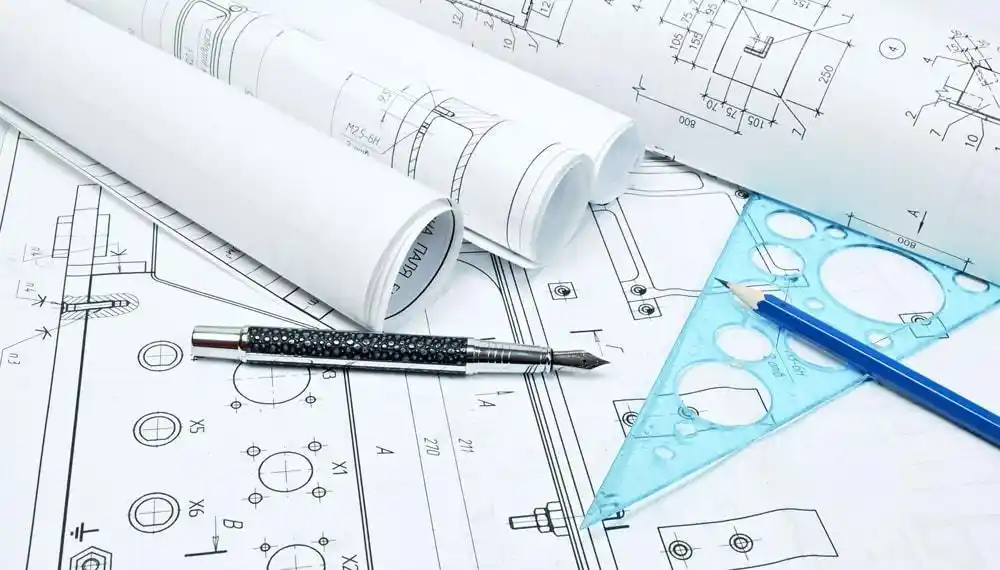
Building something new is exciting! But before workers can start, they need clear plans. Today, builders use computer programs called CAD to make these plans. CAD stands for Computer-Aided Design. There are two main types: 2D and 3D. Let’s explore how they work and why they matter.
Key Takeaways
- 2D drawings show flat views, like looking at a picture, while 3D drawings show depth, like real objects you can walk around
- Both types help builders understand projects, but they work differently and serve different purposes
- 3D models are becoming more popular because they help people see the whole building before it gets built
What Are CAD Drawings?
CAD drawings are digital blueprints made on computers. First, architects and engineers create these plans. Then, builders use them to construct buildings correctly. Moreover, CAD replaced old hand-drawn blueprints many years ago.
These drawings show every detail of a building. For example, they display where walls go, how tall rooms are, and where pipes run. Additionally, they help everyone on a construction team grasp the project better.
At Bids Estimation Inc, we work with both types of CAD drawings daily. Our team knows how important accurate documentation is for successful projects.
Understanding 2D CAD Drawings
What Makes Them Different
2D drawings are flat. They look like pictures you might draw on paper. However, they show only length and width, not depth. Think of them like a map or a simple drawing.
When you look at 2D plans, you see one view at a time. Therefore, architects create multiple drawings to show different sides. These include:
- Floor plans that show rooms from above
- Elevation views that show walls from the front or side
- Section views that show what’s inside walls
How Builders Use 2D Drawings
Builders have used 2D drawings for many years. First, they read the plans carefully. Next, they measure everything precisely. Finally, they build according to those measurements.
These drawings work well for simple projects. Furthermore, they’re easy to print and carry to job sites. Many contractors still prefer them because they’re familiar and straightforward.
Benefits of 2D Drawings
2D CAD drawings offer several advantages. First, they’re simple to grasp. Most construction workers learned to read them during training. Also, they load quickly on computers.
Another benefit is file size. Since 2D files are smaller, they’re easier to share through email. Moreover, printing costs less because you need fewer pages.
Additionally, making changes happens quickly. If something needs adjustment, designers can edit one view without affecting others. This saves time during busy projects.
Challenges with 2D Drawings
However, 2D drawings have some problems. The biggest issue is imagination. People must picture how flat drawings become real buildings. This can be confusing.
Sometimes, mistakes happen because different views don’t match. For instance, a wall may appear differently on the floor plan than on the elevation view. Then, builders get confused on-site.
Also, clients often struggle to grasp 2D plans. They can’t see how their building will really look. Therefore, architects must explain everything carefully.
Exploring 3D CAD Drawings
What Makes Them Special
3D drawings show depth, width, and height together. They appear to be real objects on your screen. In fact, you can rotate them and see every angle.
These models feel like walking through a building before it exists. Subsequently, everyone grasps the project better. Colors, textures, and materials appear realistic too.
How 3D Models Help Construction
3D models changed how people plan buildings. First, they reduce confusion. Everyone sees the same thing at the same time. Next, they catch mistakes early.
When designers create 3D models, computers can check for problems. For example, the software warns if two pipes try to occupy the same space. Consequently, builders fix issues before construction starts.
Furthermore, 3D models help with presentations. Clients see exactly what they’re getting. This builds trust and reduces disagreements later.
Advantages of 3D Drawings
3D CAD drawings provide many benefits. First, they’re easier to comprehend. Even people without construction experience can picture the final building.
Second, they improve communication. Everyone on the team views the same model. Therefore, misunderstandings decrease significantly.
Third, 3D models help with planning. Builders can simulate construction steps. They see which parts to build first and how everything fits together. As a result, projects finish faster.
Additionally, 3D models work great for marketing. Real estate companies show future buildings to buyers. People can virtually walk through apartments before they’re built.
Limitations of 3D Drawings
Despite their benefits, 3D models have drawbacks. First, they require more powerful computers. Older machines might run slowly or crash.
Second, creating 3D models takes more time. Designers must add details carefully. Each window, door, and wall needs proper placement. Thus, initial setup costs more.
Third, file sizes become very large. Sharing these files requires fast internet connections. Also, storing them needs more computer space.
Finally, not all workers know how to use 3D software yet. Training takes time and money. However, this is changing as younger workers enter the field.
Comparing 2D and 3D in Real Projects
Small Construction Projects
For small projects, 2D drawings often work fine. Simple houses or small additions don’t need complex models. Moreover, local contractors grasp traditional plans well.
However, even small projects benefit from 3D sometimes. Homeowners appreciate seeing their renovation before work starts. This prevents surprises and disappointment.
Large Commercial Buildings
Big projects almost always use 3D models now. Skyscrapers, hospitals, and shopping centers are too complex for 2D alone. Furthermore, many people work on these projects simultaneously.
3D models coordinate different teams. Electricians, plumbers, and builders all share the same model. When someone makes a change, everyone sees it immediately. Consequently, coordination improves dramatically.
Government and Public Projects
Government buildings often require both types. Officials need 2D drawings for legal documents and permits. Meanwhile, 3D models help with public presentations and approvals.
This combination works well. Legal requirements are met with 2D plans. At the same time, taxpayers see how their money will be spent through 3D visualizations.
Technology Behind CAD Systems
Software Options
Many CAD programs exist today. Some focus on 2D drafting. Others specialize in 3D modeling. Popular options include AutoCAD, Revit, and SketchUp.
Each program has strengths. AutoCAD excels at precise 2D drawings. Revit creates detailed 3D building models. SketchUp offers easy 3D modeling for beginners.
Importantly, most programs can do both 2D and 3D. Designers choose based on project needs. Sometimes, they use multiple programs together.
At Bids Estimation Inc, our team stays updated with the latest CAD software. We know which tools work best for different project types. This helps us deliver accurate estimates every time.
Hardware Requirements
2D CAD works on basic computers. Even older laptops can run simple drafting software. This makes it accessible to small companies.
In contrast, 3D modeling needs powerful machines. Fast processors, strong graphics cards, and lots of memory are essential. Otherwise, the computer freezes or works very slowly.
Many firms now use cloud computing. This lets designers access powerful computers through the internet. Therefore, they don’t need expensive hardware at every desk.
The Future of Construction Documentation
Trends and Changes
Construction is moving toward 3D. New technologies make it easier and cheaper. Also, younger architects prefer working in three dimensions.
Virtual reality is becoming popular. Clients wear special goggles and walk through buildings that don’t exist yet. This creates amazing experiences and helps sell projects.
Additionally, augmented reality helps on construction sites. Workers use tablets to see 3D models overlaid on real buildings. This shows exactly where everything goes.
Why Both Still Matter
Despite new technology, 2D drawings remain important. Building codes and permits still require traditional plans. Furthermore, field workers often prefer simple printed drawings.
The best approach uses both types together. Designers create 3D models first. Then, they generate 2D drawings from those models. This ensures consistency and accuracy.
Many companies call this BIM, or Building Information Modeling. It combines 2D documentation with 3D visualization. As a result, projects become more efficient and accurate.
Making the Right Choice
Consider Your Project Needs
Choosing between 2D and 3D depends on several factors. First, think about project complexity. Simple projects might not need 3D models.
Second, consider your team’s skills. If workers comprehend 2D better, start there. Training for 3D can happen gradually.
Third, budget matters. 3D software and computers cost more initially. However, they might save money by preventing mistakes.
Client Expectations
Modern clients often expect 3D presentations. They want to see realistic views of their projects. Therefore, even small firms are adopting 3D technology.
However, some traditional clients prefer 2D. They trust what they know. Consequently, offering both options serves customers better.
Industry Standards
Different construction sectors have different standards. Residential builders might use more 2D. Meanwhile, commercial developers rely heavily on 3D.
Learning both skills makes workers more valuable. Companies seek people who can create any type of drawing needed. Thus, education in both areas opens more opportunities.
Tips for Using CAD Effectively
For 2D Drawings
Always organize your layers carefully. Different elements go on different layers. This makes editing and printing easier later.
Moreover, use consistent scales across all drawings. When floor plans and elevations don’t match, confusion follows. Check measurements regularly.
Also, add clear notes and dimensions. Workers shouldn’t have to guess measurements. Label everything important clearly.
For 3D Models
Start with accurate measurements. Small mistakes in 3D become big problems during construction. Therefore, verify all dimensions before modeling.
Furthermore, keep your model organized. Group similar objects together. Name everything clearly so others can find items easily.
Additionally, save your work frequently. 3D files can crash unexpectedly. Losing hours of work is frustrating and costly.
Common Mistakes to Avoid
With 2D Plans
One common mistake is forgetting to update all views. When you change a floor plan, update the elevations too. Otherwise, drawings contradict each other.
Another error is using unclear symbols. Standard construction symbols exist for a reason. Stick to them so everyone comprehends your plans.
Also, avoid cluttering drawings with too much information. Include what’s necessary, but keep plans readable. Too many notes create confusion.
With 3D Models
A frequent problem is adding too much detail too soon. Start with basic shapes. Add details gradually as the design develops.
Another mistake is ignoring computer performance. Extremely detailed models slow everything down. Balance detail with usability.
Finally, don’t forget about 2D outputs. Even with 3D models, you’ll need printed plans. Ensure your 3D model can generate clear 2D drawings.
Cost Considerations
Initial Investment
Starting with CAD requires investment. Software licenses cost money. Computers capable of running CAD aren’t cheap either.
However, prices have decreased over the years. Some excellent programs now offer affordable subscriptions. Additionally, free options exist for small projects.
Training also costs money and time. Workers need to learn new software. This temporarily reduces productivity. Nevertheless, the long-term benefits outweigh short-term costs.
Long-Term Savings
Despite initial costs, CAD saves money overall. First, it reduces errors. Fixing mistakes during construction costs much more than preventing them.
Second, CAD speeds up design work. Changes that took hours with hand drawing happen in minutes. Therefore, projects complete faster.
Third, digital files are easy to store and share. No more huge filing cabinets full of paper. Everything stays organized on computers.
How Bids Estimation Inc Can Help
When you’re working on construction projects, having accurate CAD drawings matters a lot. Bids Estimation Inc specializes in creating both 2D and 3D documentation for projects of all sizes.
Our experienced team knows how to prepare detailed plans that meet industry standards. We help contractors, architects, and property owners get the documentation they need. This includes everything from simple floor plans to complex 3D building models.
Moreover, we provide cost estimates based on these drawings. Accurate drawings lead to accurate bids. This helps you avoid surprises during construction.
Conclusion
Both 2D and 3D CAD drawings serve important roles in construction. 2D drawings offer simplicity and tradition. They work well for documentation and simple projects. Meanwhile, 3D models provide clarity and visualization. They help everyone comprehend complex buildings better. The construction industry keeps evolving. More projects use 3D technology every year. However, 2D drawings aren’t disappearing anytime soon. Instead, both types work together to create better buildings.
Learning both skills prepares you for any construction project. You might be an architect, engineer, or builder. Knowing CAD is essential in today’s construction world. Start with whichever type suits your needs best. Then, expand your skills over time. The future of construction combines traditional knowledge with modern technology. By mastering both 2D and 3D CAD, you’ll be ready for whatever projects come your way. Technology keeps advancing, but the goal stays the same: building great structures that last. Remember that accurate documentation makes projects run smoothly. Good CAD drawings prevent costly mistakes. They improve communication between everyone involved. Most importantly, they help turn ideas into reality.
Frequently Asked Questions
What is the main difference between 2D and 3D CAD?
2D CAD shows flat drawings with only length and width. You see one view at a time, like looking at a picture on paper. Meanwhile, 3D CAD shows depth along with length and width. You can rotate the model and see it from any angle. Think of 2D like a photograph and 3D like a sculpture you can walk around.
Which is better for construction projects?
Both have their place in construction. Simple projects work fine with 2D drawings because they’re quick and easy to create. Complex buildings benefit from 3D models because they help catch mistakes early. Most modern projects use both types together. Start with 3D modeling, then generate 2D drawings from the model for permits and construction.
Is 3D CAD more expensive than 2D?
Yes, 3D CAD typically costs more at first. The software licenses are pricier, and you need more powerful computers. Training also takes longer because 3D programs are more complex. However, 3D can save money long-term by reducing errors and speeding up projects. Many companies find the investment worthwhile despite higher initial costs.
Can I convert 2D drawings to 3D models?
You can convert 2D to 3D, but it takes work. The process isn’t automatic. Someone must manually build the 3D model using the 2D drawings as reference. This takes time and expertise. It’s usually easier to start with 3D from the beginning. Then you can generate clean 2D drawings automatically whenever needed.
Do I need special training to use CAD software?
Yes, CAD software requires training to use effectively. Basic 2D drafting can be learned in a few weeks. Advanced 3D modeling takes several months to master. Many community colleges and online platforms offer CAD courses. Practice is essential for building speed and accuracy. However, anyone willing to learn can become proficient with enough time and effort.